
Quick Summary
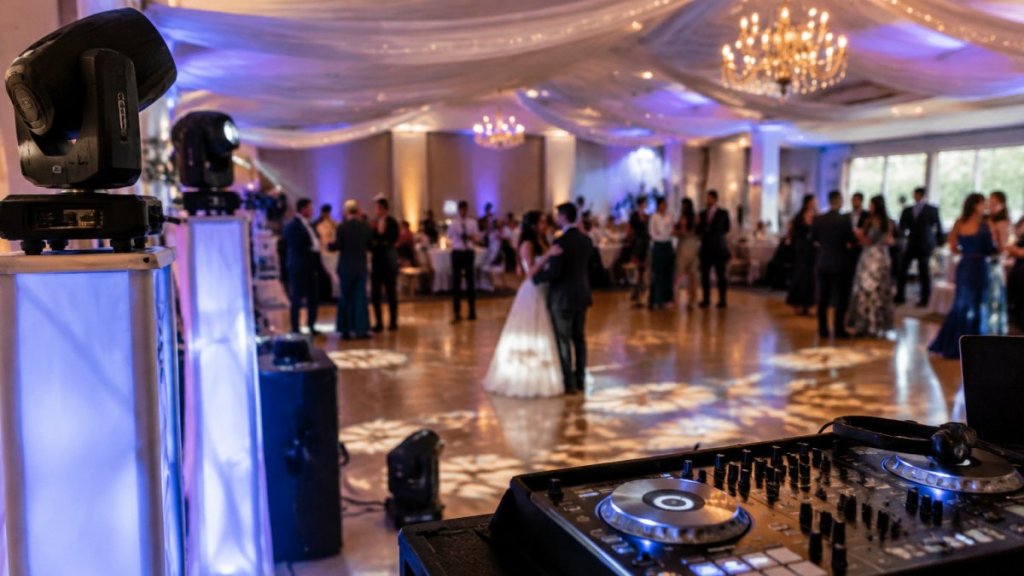
Wedding lighting works best when it is planned together with the music, so light changes land on the right songs and moments. A shared creative brief, a timeline with lighting cues, and one cue sheet keep the DJ and lighting team aligned all evening.
- Write a short creative brief covering mood, a two or three color palette, and key moments.
- Map each lighting state to a named timeline moment such as the entrance, first dance, or toast.
- Use beat grids and cue points so effects land on chorus starts, drops, and final hits.
- Give each cue a named lighting look, a transition time, a trigger type, and one owner.
- Keep one coordinator and a backup action for every cue, so missed cues never restart the song.
Table of Contents
- Why Wedding Lighting and Music Need to Work Together
- Planning a Shared Lighting and Music Vision
- Building a Wedding Reception Lighting Timeline
- How to Sync Lights to Music: Beat, BPM and Cue Points
- DMX Lighting for Weddings: Equipment and Setup Options
- Creating a Cue Sheet Mapped to Your Wedding Day
- Coordinating the DJ, Lighting, and Band Team
- Bundled Wedding DJ and Lighting Services: What to Ask
- Contingency Planning and Troubleshooting on the Day
- Booking Your Lighting and Music Plan With Rakis Productions
- Frequently Asked Questions
Why Wedding Lighting and Music Need to Work Together
Last Updated: November 12, 2026
Most wedding lighting goes wrong for one simple reason: the lights and the music were planned by different people who never spoke. A dance floor lighting up on a slow ballad, or a grand entrance hitting the wrong beat, is a common result of that gap.
Lighting and music are both timing systems. Music sets the pace, and lighting reinforces the emotional shape of each moment: the entrance, the first dance, the toast, the cake cutting, the last song.
The practical reason to plan them together is coordination. A DJ typically controls the playlist and timing for announcements and transitions, while a lighting designer controls fixtures, color, and effects. Shared cues, a common timeline, and one point of contact remove most of the guesswork.
Coordination also protects the photographs. Rooms lit deliberately, with consistent color, generally photograph better than rooms that change color at random.
Planning a Shared Lighting and Music Vision
Start with a short creative brief that both the music and lighting plans can follow.
Describe the mood in plain language. Words like “warm and romantic,” “high-energy with a club feel,” or “elegant and understated” give the lighting designer and DJ a shared reference point.
Next, list the moments that need special treatment: the grand entrance, the first dance, parent dances, toasts, the cake cutting, the bouquet toss, and the last song.
Be specific about your priorities. Some couples want the dance floor to be the visual centerpiece all night; others care more about photos during dinner. A clear answer tells the team where to spend effort and budget.
Finally, agree on a single source of truth: the shared timeline and final song list. Once approved, changes go through one person. Letting the couple, DJ, and lighting crew each adjust things independently in the final week is a common mistake.
Building a Wedding Reception Lighting Timeline
A reception lighting timeline is a minute-by-minute record of what the room should look like at each stage of the evening. Start with the official timeline from your venue or planner, then add a lighting column beside each entry.
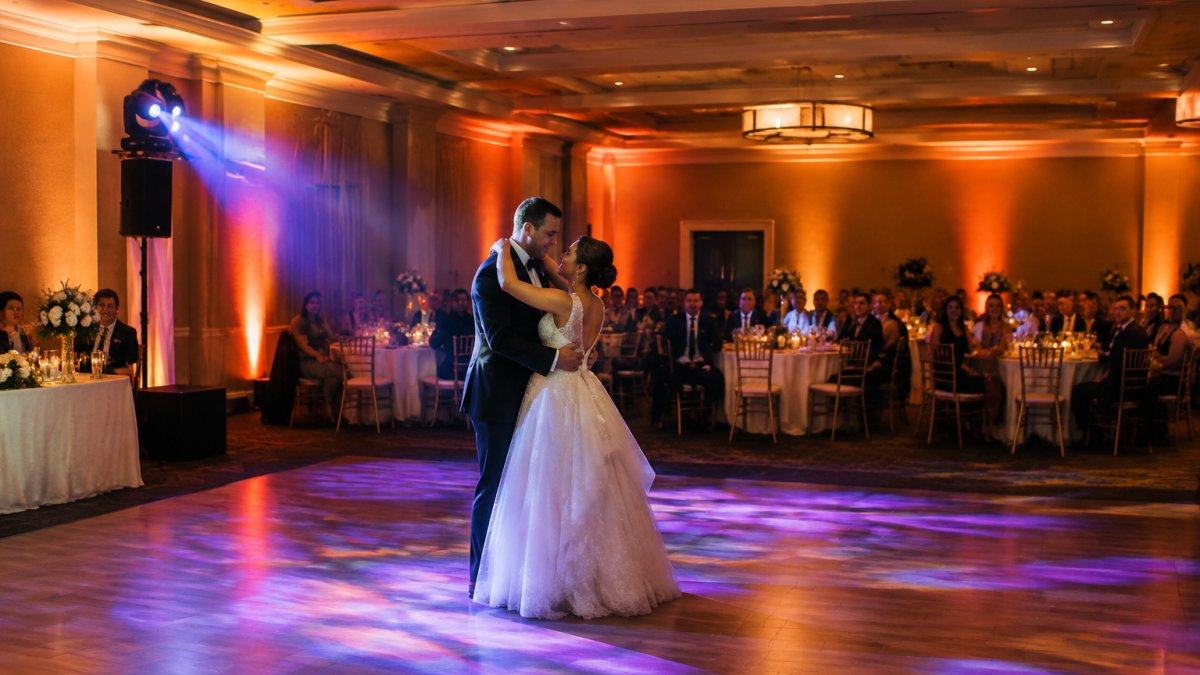
A typical structure looks like this:
- Cocktail hour: Soft, warm uplighting in the main color, with a neutral wash on any photo backdrop.
- Grand entrance: A brief spike in brightness timed to the entrance song, with a bold color and a single effect such as a chase on the uplights.
- Dinner: Lower intensity, stable color, and no movement. Guests need to see their food and each other.
- Speeches and toasts: Hold a steady, flattering wash on the speaker area. Avoid strobes or fast effects.
- First dance: Dim the room, bring up a focused spot or soft wash on the couple, and keep motion minimal.
- Open dancing: Raise energy gradually, moving from calm tones to the full dance-floor show.
- Last song: Build to a clear finish, then bring the lights up before the room empties.
Keep each lighting state tied to a timeline entry. If the timeline says “cake cutting at 9:15,” the lighting cue should have a name, a time, and a clear trigger, what changes, how fast, and when it returns to baseline.
Build in buffer time. Schedules slip, and speeches often run long. A cue tied to a fixed clock time will look wrong if the speech ends early or late. Cues tied to a named event, such as “when the DJ announces the toast,” hold up better.
How to Sync Lights to Music: Beat, BPM and Cue Points
Syncing lights to music depends on three basics: tempo, beat, and cue points. Tempo is the speed of a song, measured in beats per minute (BPM). Beat is the pulse you tap your foot to. Cue points are the specific moments in a track where you want something to happen, such as a drop, a vocal entrance, or the start of a chorus.
Most DJ software can detect BPM and display a beat grid marking each beat across the waveform. Tap tempo is useful when automatic detection is wrong, so always check the detected tempo by ear, some tracks have tempo changes or rubato sections that detection handles poorly.
Once you have a beat grid, set cue points at the moments that matter: the first beat of a chorus, a breakdown, the final hit.
There are two common approaches. In the first, the lighting controller follows the music’s beat through an audio or MIDI signal, so effects pulse with the song. In the second, the lighting operator triggers scenes manually at marked cue points. Beat-following is faster to set up and works well for dance floor effects.
Test the sync before the event. Play the actual wedding playlist through the actual sound system while the lights run. Mismatches that are invisible on a laptop screen often show up immediately in a real room.
Matching Cues to Songs and Key Moments
Every song on the wedding playlist should have a lighting role. Some songs get full dance-floor effects. Others get a soft wash or a single color held for the duration. Assign each track one of a few simple roles: high energy, mid energy, or low energy. This keeps the lighting consistent with the music’s emotional arc without requiring a unique scene for every song.
For key moments, pick the song first and build the lighting around it. The first dance usually needs a slow build from dim to warm, a single focal point on the couple, and no sudden movement, and should be dialed back if the couple wants a more intimate feel.
Keep a list of songs that should trigger a specific cue, such as the entrance track, the last song, or any song with a dedication or special meaning. These become anchor points in the timeline and the cue sheet described below.
DMX Lighting for Weddings: Equipment and Setup Options
DMX is the industry-standard protocol that lets a single controller send instructions to many lighting fixtures. A DMX controller, often a console or a software interface on a laptop, sends color, brightness, and movement data down a cable to each fixture in the chain. For weddings, DMX is what makes it possible to run uplights, moving heads, and wash lights from one place with synchronized effects.
Common wedding fixtures include wireless uplights for walls and columns, moving head fixtures for dance floor effects, pin spots for focal points, and wash lights for general color. Wireless uplights reduce cable runs and setup time; moving heads add motion but require careful placement and power planning.
Setup Options by Budget and Skill Level
Lighting setups vary widely in cost and complexity. Pricing depends on quantity, dates, and delivery, so contact Rakis Productions directly for a quote tailored to your venue and guest count.
Lighting setups vary in scope. A small reception may use a few wireless uplights with little motion, a mid-range setup adds a DMX controller and moving heads for the dance floor, and a larger production covers the room with more fixtures and a dedicated operator, requiring more planning for power and rigging.
Whatever the budget, confirm the venue’s rules before planning. Some venues restrict open flame, certain fixtures, rigging points, or floor load. Ask about power outlets and circuit capacity, since moving heads and uplights draw more current than most couples expect.
Creating a Cue Sheet Mapped to Your Wedding Day
A cue sheet is the working document that ties the timeline, the music, and the lighting together. The wedding-specific template below is the single artifact that makes synchronization repeatable instead of improvised.
Each row represents one cue. A usable cue sheet carries more than a cue number and a lighting state. Build these columns:
- Cue number, sequential, so the DJ can call “Cue 12” on a headset and everyone knows exactly what is meant.
- Event moment, the named timeline entry (grand entrance, first dance, toast), not a clock time, so the cue survives schedule slippage.
- Song and timestamp, track title, artist, and the in-song time where the cue fires (for example, first chorus at 1:12).
- Lighting look, a named preset (“Amber Wash,” “Teal Chase,” “First Dance Spot”) rather than a paragraph of fixture instructions.
- Transition, snap, 2-second fade, 8-second fade, or gradual build, with the duration in seconds.
- Trigger type, manual call, beat-follow, or timecode, so the operator knows whether to watch the DJ, the music, or the clock.
- Owner, the one person who fires the cue.
- Backup action, what happens if the cue is missed or the fixture fails.
Here is a filled-in example mapped to a typical reception timeline. Treat the times as placeholders to adjust to your own schedule:
| Cue | Event moment | Song / timestamp | Lighting look | Transition | Trigger | Owner | Backup action |
|---|---|---|---|---|---|---|---|
| 1 | Doors open | Walk-in playlist, any track | Amber Wash, no movement | 3 sec fade | Manual | Lighting lead | Hold Amber Wash until Cue 2 |
| 2 | Grand entrance | Entrance track, first downbeat at 0:08 | Teal Chase on uplights, full brightness | Snap, 1 sec | Manual call from DJ | Lighting lead | If missed, fire on next downbeat; do not restart song |
| 3 | Dinner begins | Dinner playlist | Warm White, 40% intensity, no movement | 5 sec fade | Manual | Lighting lead | Default to Warm White if controller drops |
| 4 | Toast announced | No music; DJ announcement | Speaker Wash, neutral white | 2 sec fade | DJ verbal call | Lighting lead | Hold Speaker Wash through all toasts |
| 5 | First dance | First-dance track, vocal entrance at 0:22 | Dim room, soft spot on couple | 8 sec fade | Manual | Lighting lead | If spot fails, raise ambient wash to 30% |
| 6 | Open dancing | First dance-floor track | Beat-synced moving heads, full palette | Gradual build over 30 sec | Beat-follow | DJ and lighting | Switch to manual scenes if beat grid drifts |
| 7 | Cake cutting | Any track | Bright neutral wash on cake table | 2 sec fade | Manual | Lighting lead | Hold neutral wash if cue missed |
| 8 | Last song | Last-song track, final chorus at 2:45 | Full brightness build, then house lights | 10 sec build | Manual | Lighting lead | Bring house lights up at song end regardless |
A few mechanics make the sheet usable on the day.
Distribute the sheet at least a week before the event to the DJ, the lighting operator, the venue coordinator, and the photographer, and print three copies for the day: one at the lighting controller, one at the DJ booth, and one with the coordinator. Version the document (v1, v2, final) so nobody works from an outdated printout.
Build a technical check into the plan. Run the cue sheet against the actual equipment in the room, with the real sound system, at least two hours before doors.
Watch out: a cue sheet that lists clock times instead of event moments will be wrong the first time a speech runs long, and every downstream cue will fire late.
Coordinating the DJ, Lighting, and Band Team
Coordination is where most synchronization problems begin and end. If you are working with a separate DJ, a band, and a lighting company, each team has its own schedule, equipment, and assumptions.
Name a single coordinator on the day, often the planner or a designated friend, but it can be the lighting lead if the vendor setup allows.
Set communication rules early. Decide how the DJ signals a cue to the lighting team. Some teams use a verbal call on a headset, others use a shared message thread or a simple countdown on the DJ’s screen.
Share vendor contact information and arrival times in advance. The lighting crew needs load-in time, power access, and a clear path to the room, and the band’s sound check may conflict with lighting setup.
A common mistake is assuming a DJ and a band can share a single lighting plan without adjustment.
Bundled Wedding DJ and Lighting Services: What to Ask
Some providers offer DJ, lighting, and other entertainment as a single bundled package. Bundling can simplify coordination in general, since one team may control both the music and the lights. It also means fewer vendors to manage and a single point of contact on the day.
- Who will operate the lighting during the event, and will that person be on site for the full reception?
- Is the DJ and lighting operator a single person or two people, and how do they communicate during the event?
- What equipment is included, and what is extra? Ask about uplights, moving heads, backup units, and controllers.
- How is the timeline built, and who reviews it with you before the event?
- What happens if one component fails? Ask about backup equipment and how the team responds.
- Can you hear and see a sample of how the lighting and music sync together, ideally from a past event?
- How are power and rigging requirements handled, and does the package include load-in and load-out?
A bundled package is not automatically better. It makes sense when one team can clearly show how they coordinate the two. If the bundle is just two separate services sold on one invoice, the coordination problems remain.
Contingency Planning and Troubleshooting on the Day
Things go wrong at almost every event. The goal is not to prevent every failure but to decide, in advance, what the team does when each likely failure occurs.
| Failure | What you see | Immediate fix | Owner |
|---|---|---|---|
| Lighting controller drops | Fixtures freeze on last look | Switch to backup controller or run fixtures in standalone sound-active mode; DJ continues music | Lighting lead |
| Wireless uplight loses signal | One wall goes dark or stuck on last color | Swap to a spare uplight pre-addressed to the same channel; do not re-patch mid-song | Lighting lead |
| DMX cable or terminator failure | Flicker or erratic behavior down the chain | Bypass the suspect fixture, re-terminate the run, keep a spare terminator on hand | Lighting lead |
| Beat-follow drifts | Effects pulse off the beat after a tempo change | Switch that cue to manual triggering; re-tap tempo at the next chorus | DJ and lighting |
| Missed cue | Lighting stays on the previous look into the next moment | Fire the cue on the next downbeat; never restart the song to catch up | Lighting lead |
| Delayed event | First dance pushed 20 minutes by long toasts | Hold the current look; do not pre-fire the next cue; coordinator calls the new start | Coordinator |
| Last-minute song substitution | DJ swaps a track the lighting was built around | Fall back to the song’s energy role (high, mid, low) and use the matching preset | DJ and lighting |
| Power trip on one circuit | Half the room loses fixtures | Move loads to a separate circuit confirmed at load-in; reduce fixture count if needed | Lighting lead |
| Venue restricts effects mid-event | Fire marshal or venue manager asks for changes | Drop to wash-only looks; keep strobes and haze off for the rest of the night | Coordinator |
A few patterns sit behind most of these rows.
Accessibility and comfort belong in the contingency plan, not just the design. Very bright strobes and rapid color changes can be uncomfortable for guests with photosensitivity or sensory sensitivities.
Photography and video need their own contingency line. Photographers and videographers need consistent, flattering light during the first dance, toasts, and cake cutting.
Write the response for each likely failure on the cue sheet itself, in the backup-action column, so the team does not improvise under pressure. A one-page response plan everyone has read beats a long document nobody opens.
Watch out: a contingency plan that lives only in the coordinator’s head fails the moment the coordinator is pulled away for a venue issue, put the matrix on paper and hand it to every operator.
Booking Your Lighting and Music Plan With Rakis Productions
Planning a synchronized wedding experience takes coordination. Rakis Productions, led by Nikos Rakis, offers DJ and MC entertainment, lighting design, and the Minyma Booth photo booth as a coordinated service across New England, including Boston, Rhode Island, and the South Shore.
If you want the lighting and music for your celebration planned as one system, contact Rakis Productions through our contact form to discuss your venue, guest count, and timeline. We will walk through the options that fit your event and provide a quote tailored to your date and setup.
Frequently Asked Questions
How do you synchronize wedding lights with music?
Synchronization starts with a shared timeline. Your DJ provides a playlist with song order, tempo and the exact start point of key moments such as the grand entrance or first dance. The lighting designer then builds cues at those points, either manually from a cue sheet or through a DJ controller that sends timecode or beat data to the lighting console. Rehearse the sequence during the sound check so the changes land on the downbeat rather than a few seconds late.
What equipment is needed to sync lights to a DJ?
Most setups need a lighting controller or console, DMX cabling, the fixtures themselves (uplights, pin spots or moving heads), and a way to link the music to the lights. That link can be a DJ software plugin that outputs beat or timecode data, a dedicated lighting-to-audio interface, or a simple sound-activated mode for basic effects. A DMX lighting for weddings package from a provider will usually include these components, and you should confirm the power and cable requirements for your venue before the event.
Can wedding lights change automatically with the music?
Yes. Sound-activated fixtures change color or brightness with the audio level, and beat-synced programs can step through colors or chases at the song’s BPM. Automatic modes work well for dance floor energy but can feel random during speeches or ceremonies. For the key moments, most planners prefer manually triggered cues so the lighting matches the story of the day rather than the volume of the room.
What is DMX lighting, and how is it used at weddings?
DMX is a standard digital protocol that lets a single controller send instructions to many lighting fixtures over one cable run. At weddings it powers moving heads, color-changing pars and chase effects across the dance floor and ceremony space. Because every fixture receives the same signal, color, timing and movement stay consistent from one end of the room to the other, which is why DMX lighting for weddings is preferred for coordinated shows.
How should a wedding DJ and lighting designer coordinate?
Share the timeline, playlist and venue layout at least several weeks before the wedding. Agree on who triggers each cue, usually the DJ for music-linked moments and the lighting operator for scene changes, and label the cue sheet with both. Hold a joint rehearsal or walkthrough on the day, and confirm arrival times, load-in and power access so both teams can set up without rushing.
When should lighting cues happen during a wedding reception?
Typical cue points include the grand entrance, the first dance, toasts or speeches, the cake cutting, the bouquet toss and the transition to the open dance floor. Each cue should begin a few seconds before the action so the room reads the change as intentional. Keep lighting warm and steady during meals and speeches, and save color-changing effects and chases for the dance portion of the evening.
Is sound-activated lighting a good choice for a wedding?
Sound-activated lighting is a practical choice for a relaxed dance floor or a budget-conscious setup, because it requires little programming. It is less suitable for ceremonies, speeches or any moment that needs precise timing, since the lights follow volume rather than the song structure. Many planners combine both approaches, using sound-activated effects for the open dance and manual cues for the scheduled moments.
Should wedding lighting and DJ services be booked together?
Booking them together usually simplifies coordination, since one team can build a single timeline and cue sheet and resolve power or setup conflicts in advance. Separate vendors can work well too, provided you schedule a joint planning call and share cue information early. Ask any provider how they handle synchronization with outside vendors, and confirm pricing directly with Rakis Productions for a quote that reflects your guest count, date and venue.

