

Last Updated: November 23, 2026
Quick Summary
Event production backup plans are pre-decided answers to what you will do when something fails. Rank each risk by likelihood and impact, then give the highest-impact items, such as music, program timing and main lighting, a named spare and a clear swap process.
- Start by listing what could fail in each risk group: power, audio, lighting, staffing and timing.
- Rank each risk by how likely it is and how bad it would be during the toast.
- Name one backup for every role that cannot be left unattended.
- Walk each backup through the rig before the event, not during it.
- Test virtual connections at the venue and keep local copies of every presentation file.
Table of Contents
- Event Contingency Plan Basics: Identify Risks Before They Happen
- Building Your Event Equipment Backup Plan and Staffing Backup Plan
- Virtual Event Backup Plan Steps for Your Next Booking With Rakis Productions
- Frequently Asked Questions
Event Contingency Plan Basics: Identify Risks Before They Happen
Event production backup plans explained in plain terms: a backup plan is a pre-decided answer to “what do we do if this fails?” The moments that go wrong at events are rarely the ones anyone expected.
Most event day problems fall into a few predictable groups. Start by listing what could fail in each group:
- Power and venue: outages, tripped breakers, a late-opening room
- Audio and music: a dead wireless mic, a laptop crash, a playlist that won’t load
- Lighting: a fixture that stops responding, a cable run that gets kicked loose
- Staffing: a no-show, a sick DJ, an MC who loses their voice
- Timing: a speech that runs long, a delayed entrance, a late vendor
Once you have the list, rank each risk by two questions: how likely is it, and how bad would it be if it happened during the toast?
A common mistake is treating every risk the same. Spend your backup effort on the few items that would stop the event cold, such as the music, the program timing, and the main lighting. A spare cable matters less than a plan for who takes over the mic.
The risks that matter most can be grouped and ranked before the event, as summarised below.
| Risk group | Example failures | Priority focus |
|---|---|---|
| Power and venue | Outages, tripped breakers, late-opening room | Plan for the event to stop cold |
| Audio and music | Dead wireless mic, laptop crash, playlist won’t load | Spend backup effort here first |
| Lighting | Fixture stops responding, cable kicked loose | Lower than music and timing |
| Staffing | No-show, sick DJ, MC loses voice | Name a backup for each role |
| Timing | Long speech, delayed entrance, late vendor | Keep the program on schedule |
Building Your Event Equipment Backup Plan and Staffing Backup Plan
Your equipment backup plan should name a spare for every item that carries the event. For each one, write down the primary, the backup, and who is responsible for swapping them in.
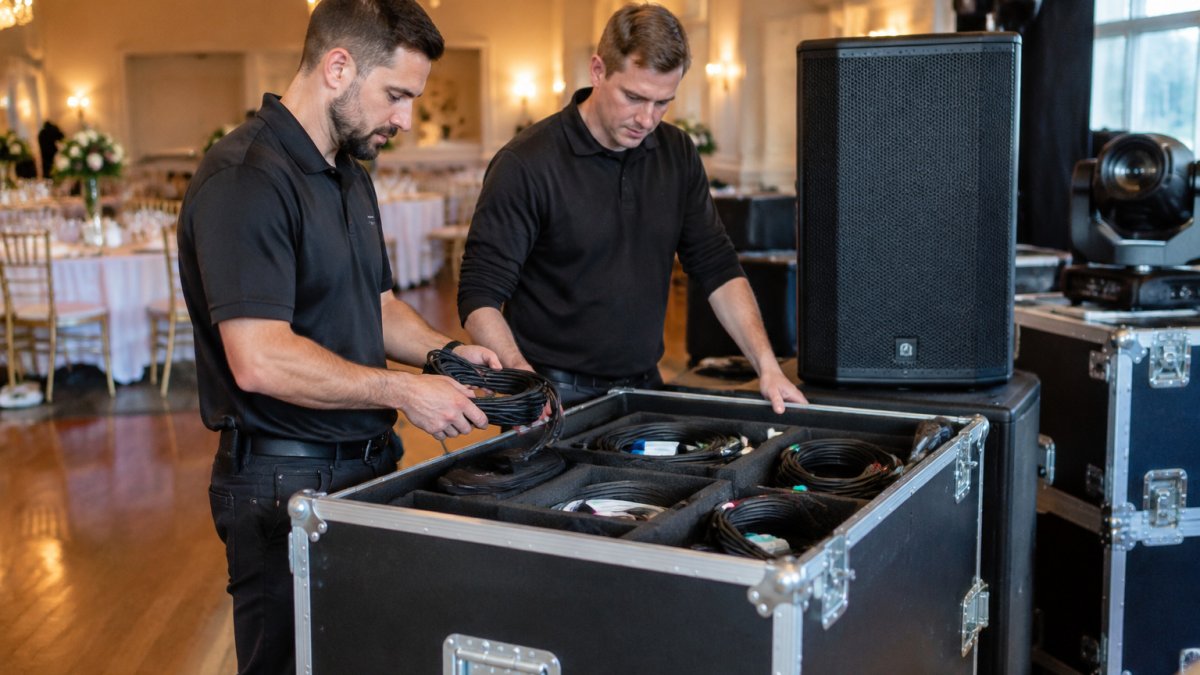
Your staffing backup plan works the same way. Assign a named backup for every role that cannot be left unattended, and make sure the backup has the timeline and the access codes before the day.
Keep these steps in your plan:
- List every role and its critical tasks
- Name one backup for each role
- Share the run sheet and contact details with every backup
- Confirm each backup is free on the event date
Watch out: a backup who has never seen the setup will take the longest to get going. Walk them through the rig before the event, not during it.
Virtual Event Backup Plan Steps for Your Next Booking With Rakis Productions
Virtual and hybrid events add their own failure points, mainly internet connectivity and streaming software. Build a plan for a dropped connection, a failed platform login, and a presentation file that will not open.
A backup plan for a virtual or hybrid event can follow four steps:
- Test the connection and streaming setup at the venue ahead of time
- Keep local copies of every presentation and audio file
- Set a fallback platform or phone bridge for speakers
- Name one person to monitor the stream and make the switch
Start with the Rakis Productions team, who can walk through a full production plan for your event. When you are ready to lock in a date, check your event date to see availability.
Planning a full-service booking? Benefits of hiring an all-in-one event vendor explains why one producer can simplify backup coverage.
Frequently Asked Questions
What should be included in an event production contingency plan?
A solid event production contingency plan lists the likely failures for your specific event, such as power loss, a DJ laptop crash, a dead lighting fixture or a late vendor. For each one, name the backup audio source, the spare equipment on site, the person responsible for switching over, and the point at which you decide to switch. Keep the plan on one page, share it with the venue coordinator, and review it at least one week before the event. Pricing for backup equipment or added staff depends on the event’s size, date and delivery requirements, so request a current quote from Rakis Productions.
How do you create a backup plan for an event?
Start by ranking risks by how likely they are and how badly they would disrupt the event. Power, music playback and the main lighting rig usually rank highest. For each high-risk item, write a specific response: what gets switched, who does it, and how long the guests would wait. Assign a named backup for every critical role, set a clear decision threshold such as a five-minute delay before activating Plan B, and walk the timeline with the venue so everyone knows the same steps.
What is a backup plan for a virtual or hybrid event?
A virtual event backup plan covers the connection between the live room and remote guests. It typically includes a second internet connection or a cellular hotspot, a pre-loaded set of presentation files, a backup streaming device, and a named person who can restart the stream without leaving the room. Test the full broadcast with the venue’s network before the event, and agree on a message to send guests if the stream drops so they know what to expect.

